
HubSpot Intercom integration helps businesses connect customer conversations with their CRM data, making it easier to manage leads and improve communication. By combining Intercom’s live chat and customer messaging features with HubSpot’s sales and marketing tools, companies can organize customer information more effectively. This integration also reduces repetitive tasks and supports smoother communication between sales, marketing, and support teams.
What Is HubSpot Intercom Integration?
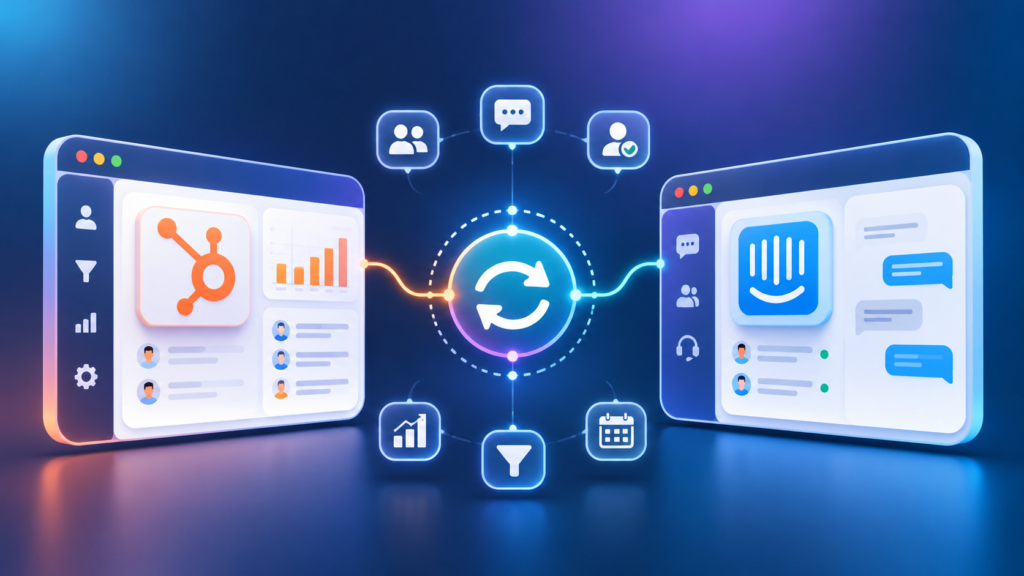
HubSpot Intercom integration connects Intercom’s customer messaging platform with HubSpot’s customer relationship management system. It allows businesses to create contacts, record conversations, and share supported customer information between platforms. Companies can capture website leads through Intercom and transfer their details into HubSpot, making customer interactions easier to manage throughout the sales process.
How Does HubSpot Intercom Integration Work?
The integration works by connecting both platforms through an authorized application. When a visitor contacts a business through Intercom, their details can be transferred to HubSpot as a new contact. The native integration also records conversations on HubSpot contact timelines, helping sales representatives understand previous interactions before contacting potential customers.
For businesses requiring broader synchronization, HubSpot’s Data Sync application supports one-way and two-way synchronization of selected contact and company information. However, Intercom’s native HubSpot app primarily sends information from Intercom to HubSpot rather than providing complete bidirectional synchronization.
Key Features of HubSpot Intercom Integration
One important feature is automatic lead creation, which allows businesses to transfer qualified leads from Intercom into HubSpot. The integration can also record customer conversations, synchronize supported qualification details, and assign contact owners during initial creation. These capabilities help sales teams maintain useful customer records without repeatedly entering information.
Another helpful feature is the ability to view selected HubSpot information directly inside Intercom’s inbox. This includes contact names, email addresses, companies, lifecycle stages, lead statuses, and owners. Businesses can also configure supported conversation-based HubSpot workflows to organize follow-ups based on customer interests and interactions.
Benefits of HubSpot Intercom Integration
One major benefit is better lead management. Businesses can capture potential customers through live chat and send their information to HubSpot for follow-up. This reduces the risk of losing valuable inquiries and helps sales representatives respond with a clearer understanding of each prospect’s requirements.
The integration also improves team collaboration by making relevant conversation history available inside HubSpot. Sales and support representatives can review previous discussions instead of asking customers to explain everything again. Additionally, automated information transfers reduce manual work, support more consistent contact records, and create opportunities for personalized customer communication.
How to Set Up HubSpot Intercom Integration
Setting up the integration starts with signing in to Intercom and opening its App Store. Search for the HubSpot application, select the installation option, and authorize access to your HubSpot account. You will need appropriate HubSpot administrative permissions to complete the connection and manage the integration settings.
After installation, open App Store → HubSpot → Settings in Intercom. Choose whether leads should be transferred automatically or manually. You can also review supported qualification-field mappings. Finally, create a test lead, send a message, and confirm that the contact and conversation appear correctly in HubSpot.
HubSpot Intercom Integration Methods
Businesses can connect the platforms using several approaches. Intercom’s native HubSpot app works well for lead creation and conversation logging. Meanwhile, HubSpot Data Sync is designed for synchronizing supported CRM information, including contact and company data, across both systems.
Third-party automation platforms and custom API connections offer additional flexibility for businesses with specialized requirements. However, these methods may involve extra costs or technical expertise. Choosing the right approach depends on the information being transferred, the required automation, and the existing business workflow.
Common Uses of HubSpot Intercom Integration
SaaS companies frequently use this integration to capture website inquiries, qualify potential customers, and organize follow-ups. B2B businesses can also use it to connect live chat conversations with CRM records, helping sales representatives understand customer interests before arranging product demonstrations or consultations.
Digital marketing agencies, online stores, and customer support teams may also benefit. For example, an agency can collect consultation inquiries through Intercom and manage those contacts inside HubSpot. This creates a more organized process for responding to prospects and maintaining customer relationships.
HubSpot Intercom Integration Pricing
The cost of HubSpot Intercom integration depends on the applications, subscriptions, and features a business needs. Intercom provides its native HubSpot app on eligible subscription plans, with some integration functionality available without an additional app fee. However, advanced HubSpot features may require a paid subscription.
Businesses considering HubSpot Data Sync should also review their plan requirements. Basic synchronization features may be available without additional charges, while certain custom field mapping capabilities require an eligible paid HubSpot subscription. Always check current pricing before selecting a solution.
Common Integration Issues
Some businesses experience missing contacts, duplicate records, incorrect field mappings, or conversations that do not appear in HubSpot. These problems may result from account permissions, contact matching rules, configuration mistakes, or unsupported synchronization features. Reviewing the integration settings is usually the first troubleshooting step.
Email changes require particular attention because they can affect contact matching. Intercom’s native integration may create a new HubSpot contact when an email address changes in Intercom. Businesses should test contact updates carefully and review synchronization behavior before relying on automated processes.
Best Practices for HubSpot Intercom Integration
To maintain accurate customer information, businesses should establish clear synchronization rules and verify their field mappings. Start with essential customer details, such as names, email addresses, and company information. Avoid transferring unnecessary personal data, and provide access only to employees who need the information.
Regular monitoring also matters. Review synchronization errors, examine duplicate contacts, and test important workflows after making changes. Companies should also monitor lead response times and follow-up completion rates to determine whether the integration is supporting their customer management goals.
HubSpot Intercom Integration vs. Separate Platforms
Using HubSpot and Intercom separately allows teams to manage sales and customer communication independently. However, employees may need to copy information between systems, making it harder to maintain consistent customer records and review conversations alongside CRM activity.
Integration reduces these gaps by connecting supported information and automating selected processes. Although configuration and maintenance are still necessary, businesses handling frequent customer inquiries can benefit from better visibility, less manual data entry, and improved communication between departments.
Conclusion
HubSpot Intercom integration offers businesses a practical way to connect customer conversations with CRM activities. From capturing leads and recording interactions to improving collaboration, the integration helps teams manage important customer information more efficiently.
Before getting started, review the available integration methods, subscription requirements, and synchronization limitations. With proper configuration and regular monitoring, businesses can create a more organized approach to customer communication, lead management, and sales follow-ups.
FAQs
What is HubSpot Intercom integration?
HubSpot Intercom integration connects Intercom’s live chat and messaging platform with HubSpot CRM. It helps businesses capture leads, share customer information, and track conversations more efficiently.
How does HubSpot Intercom integration benefit businesses?
It improves lead management, reduces manual data entry, and helps sales and support teams work together. Businesses can also provide more personalized customer experiences using shared customer information.
Is HubSpot Intercom integration free?
The integration may be available without an additional app fee, but certain features require eligible HubSpot or Intercom subscriptions. Pricing depends on the selected plans and functionality.
Can HubSpot and Intercom sync customer data automatically?
Yes. The native Intercom app can automatically send leads and conversation information to HubSpot. HubSpot Data Sync also supports two-way synchronization of selected contact and company details.
Do I need technical skills to set up HubSpot Intercom integration?
No. Most businesses can connect HubSpot and Intercom through their built-in integration settings without coding. However, advanced workflows and custom API connections may require technical assistance.
Must Read: Isiah Pacheco Wife: Girlfriend, Family & Love Life