
Network support keeps the connections behind daily business activities working reliably. Offices depend on networks for email, cloud applications, video calls, shared files, and payments. When connectivity fails, routine tasks become difficult. Reliable network support helps teams identify faults, protect connected systems, and fix problems before they cause prolonged disruption.
What Is Network Support?
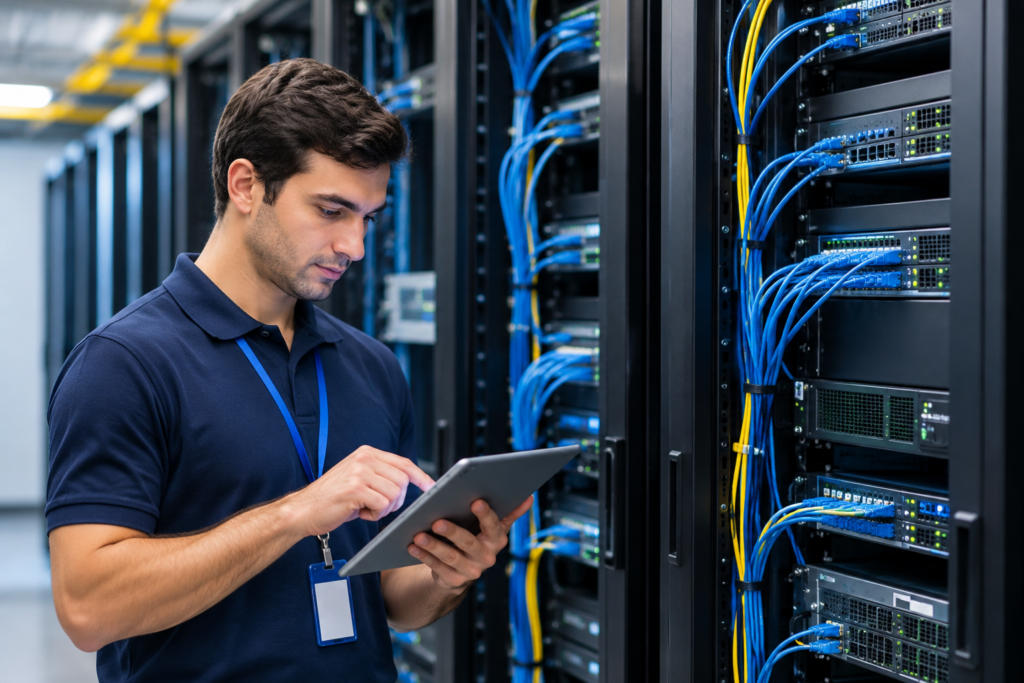
Network support involves installing, monitoring, maintaining, securing, and troubleshooting computer networks. It covers routers, switches, wireless access points, firewalls, cabling, and the connections between devices and services. A network support technician might restore office Wi-Fi, investigate slow file transfers, or configure secure access for employees working remotely.
How Network Support Works
Support usually begins with an inventory of devices and a clear picture of how the network is connected. Monitoring software tracks availability, traffic, errors, and equipment health. When an alert appears, technicians check the evidence, identify the affected systems, apply a suitable fix, and test the connection again. Good support also documents changes.
Key Network Support Services
Installation and configuration include setting up routers, switches, Wi-Fi, IP addressing, and access rules. Monitoring and maintenance track device health, manage firmware updates, and identify emerging problems. Troubleshooting addresses failures, congestion, and unstable connections.
Other services include firewall administration, secure VPN access, wireless coverage improvements, configuration backups, and coordination with internet providers.
Types of Network Support
Remote support lets technicians investigate many configuration and connectivity problems without visiting an office. On-site support is necessary for damaged cabling, hardware replacement, and physical installations.
Managed network support provides ongoing services under a contract, while emergency support focuses on urgent failures. Businesses may also need specialized wireless, cloud-network, or multi-location support.
Benefits of Network Support
The biggest benefit is more dependable connectivity. Continuous monitoring helps teams spot faults early, while routine maintenance can reduce avoidable outages. Performance reviews reveal overloaded links or poorly configured devices.
Other advantages include better employee productivity, stronger security controls, more predictable maintenance spending, and easier expansion as an organization adds people, offices, or cloud services. None of these benefits means outages can be eliminated completely.
Common Network Issues
Slow internet may result from network congestion, faulty equipment, or problems with the service provider. Wi-Fi dropouts can involve weak signals, interference, or access-point overload. Incorrect IP addresses, DHCP settings, or DNS records may prevent devices from reaching websites and internal applications.
Other frequent issues include failed switches, unstable VPN connections, packet loss, and outdated firmware. Similar symptoms can have different causes, so guessing often wastes time.
How to Troubleshoot Network Problems
First, determine whether the issue affects one device, one department, or everyone. Check power, cables, and wireless connections before changing settings. Then inspect the affected device’s IP configuration and test local connectivity.
Tools such as ping, traceroute, and nslookup help investigate reachability, network paths, and name resolution. Review monitoring alerts and service-provider status, make controlled changes, and confirm the fix. Security incidents should follow an established response procedure.
Useful Network Support Tools
Wireshark helps examine network packets, while Zabbix, PRTG, and similar platforms collect performance data and generate alerts. Administrators also use device logs, SNMP, and configuration management systems. A tool can reveal symptoms, but experienced analysis is still needed to identify the cause and choose a safe fix.
Network Support vs. IT Support
Network support concentrates on shared infrastructure: internet links, routers, switches, wireless networks, and traffic between systems. General IT support covers a wider range of needs, including computers, accounts, software, and user requests.
The roles overlap. For example, a printer that cannot connect may require both device troubleshooting and a check of network settings.
Network Security and Maintenance
Network reliability depends partly on secure configurations. Support teams can maintain firewall rules, segment sensitive systems, restrict administrative access, and schedule firmware updates. They may also look for unusual traffic and unauthorized devices.
The NIST Cybersecurity Framework 2.0 emphasizes monitoring networks and network services for potentially adverse events. Network support complements, rather than replaces, broader cybersecurity and incident-response programs.
What Does Network Support Cost?
Costs depend on the number of locations, devices, coverage hours, and complexity of the network. Providers may bill by the hour, charge a monthly fee per device or user, or quote a fixed project price.
Ask whether monitoring, updates, after-hours help, hardware replacement, and on-site visits are included. A cheaper quote is not necessarily better if essential work costs extra.
Choosing a Network Support Provider
Look for technicians familiar with your equipment, clear documentation practices, and a realistic plan for responding to incidents. Ask what gets monitored and how problems are escalated.
Review the service-level agreement (SLA) carefully: response time is not the same as guaranteed repair time. Confirm how the provider handles credentials, configuration backups, security responsibilities, and access when a contract ends.
The Future of Network Support
Cloud-managed networks, centralized dashboards, and automation are changing routine maintenance. Some platforms use pattern detection to flag unusual performance before users report it. These tools can speed investigation, but they still require sound network design, careful change control, and human judgment.
Conclusion
Effective network support combines preventive maintenance with practical troubleshooting. It helps businesses maintain access to essential systems, respond more confidently to failures, and plan network upgrades. The right approach depends on network complexity, security needs, and the level of disruption an organization can tolerate.
FAQs
What does a network support technician do?
A technician configures equipment, monitors connections, diagnoses problems, applies updates, and documents repairs.
Is network support the same as network monitoring?
No. Monitoring detects problems; support also investigates and resolves them.
Can network support be remote?
Yes, many software and configuration issues can be handled remotely. Physical faults may require a site visit.
Do small businesses need network support?
Even small teams benefit when their work depends on reliable Wi-Fi, internet access, and cloud services.
Is 24/7 support necessary?
It depends on operating hours, outage risks, and how critical continuous connectivity is.
Must Read: Audit Board Software: Features, Benefits, and Uses