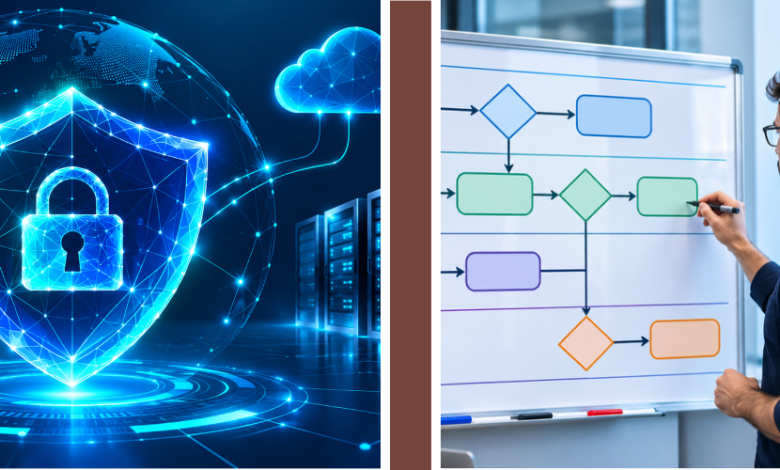
Cybersecurity teams face constant pressure to identify threats, investigate suspicious activities, and respond before problems become serious. Managing thousands of security alerts manually can slow down operations and increase the risk of missing important incidents. Swimlane helps organizations address these challenges through artificial intelligence, workflow automation, and centralized security management.
The platform combines intelligent automation with practical tools that allow security professionals to manage incidents more efficiently. From automated investigations to incident reporting, Swimlane provides businesses with a flexible approach to modern cybersecurity operations.
What Is Swimlane?
Swimlane is an AI-powered security automation company that develops technology for security operations centers (SOCs), enterprises, and managed security service providers. Founded in 2014 and headquartered in Denver, Colorado, the company focuses on making cybersecurity operations more efficient through automation.
Its platform helps security professionals connect different tools, investigate threats, manage incidents, and reduce repetitive work. Rather than replacing existing security technologies, Swimlane brings their information and workflows together within a centralized environment.
How Does Swimlane Work?
Swimlane works by connecting security tools and automating activities that would otherwise require manual investigation. When a security alert appears, the platform can collect relevant information, evaluate available evidence, and initiate an appropriate workflow.
For example, a suspicious login alert can trigger an automated investigation that checks user activity, IP addresses, and related security events. Based on predefined rules and available AI capabilities, the system can recommend actions, create incident records, or escalate the issue to security analysts.
This approach helps organizations reduce response times while maintaining visibility over security decisions.
Swimlane Turbine Platform
Swimlane Turbine is the company’s primary security automation platform. It combines low-code workflow development, integrations, case management, and artificial intelligence within a cloud-native environment.
Through Turbine Canvas, security teams can create automated playbooks using visual components rather than writing extensive custom code. These playbooks define how particular security events should be investigated and handled.
The platform also supports dashboards, reporting, and reusable automation components, helping organizations standardize their security procedures across multiple departments.
Hero AI and Intelligent Agents
Hero AI brings generative and agentic artificial intelligence capabilities into Swimlane Turbine. It helps analysts investigate incidents, summarize security information, and create automation workflows through natural-language instructions.
Security teams can use specialized AI agents to collect evidence, evaluate findings, and prepare investigation results. Hero AI also supports generating or modifying playbooks, reducing some of the technical work involved in automation development.
Importantly, organizations can configure permissions and approval requirements to control sensitive operations. This allows AI-supported investigations to work alongside human judgment rather than treating every automated conclusion as final.
Key Features of Swimlane
Swimlane offers several features designed to improve security operations. Its main capabilities include automated incident response, intelligent case management, low-code playbooks, integrations, and customizable reporting.
Case management helps analysts organize incidents, review evidence, and track investigation progress. Meanwhile, automated playbooks make routine activities more consistent across security teams.
Swimlane also supports integrations with security information and event management (SIEM), endpoint detection and response (EDR), cloud security, identity management, and ticketing tools. This connectivity helps organizations coordinate security activities without switching constantly between disconnected systems.

Benefits of Using Swimlane
One major benefit of Swimlane is reduced manual workload. Security analysts often spend considerable time gathering information, checking alerts, updating tickets, and preparing reports. Automation can complete many repetitive activities, leaving professionals more time for complex investigations.
Another advantage is improved operational consistency. Standardized playbooks help teams follow established procedures, while centralized dashboards provide clearer visibility into incidents and response activities.
Organizations may also benefit from faster investigations, better collaboration, and more effective use of existing security investments. However, the actual improvements depend on implementation quality, integrations, and workflow design.
Swimlane AI SOC
A security operations center monitors organizational systems for suspicious activity and potential cyberattacks. Swimlane AI SOC extends traditional security operations by combining automated workflows with AI-assisted and agentic investigations.
The platform uses intelligent routing to direct alerts toward predefined automation, AI-assisted analysis, or more advanced autonomous investigation, depending on their complexity.
This approach aims to limit unnecessary AI processing while allowing security analysts to concentrate on incidents requiring human expertise. Investigation records and auditable actions also help teams review conclusions and maintain accountability.
Common Use Cases
Swimlane supports cybersecurity activities across different industries. One practical application is phishing investigation, where automated workflows can examine suspicious messages, enrich indicators, and organize findings for review.
Other applications include threat intelligence enrichment, vulnerability response, incident escalation, compliance reporting, and suspicious account activity investigations.
For example, a company dealing with repeated endpoint alerts can use Swimlane to gather related evidence and update incident records automatically. This reduces repetitive administrative work and gives security professionals more consistent information for decision-making.
Who Should Use Swimlane?
Swimlane is primarily designed for organizations managing complex security environments. Enterprise security departments can use it to coordinate incident response across numerous technologies and business units.
Managed security service providers (MSSPs) may also benefit from its multi-tenant capabilities, which support security operations across multiple customers.
Additionally, IT security teams, compliance departments, and security operations professionals can use the platform to automate recurring processes. Smaller organizations should assess whether their security workload and technical resources justify an enterprise automation platform.
Advantages and Limitations
Swimlane’s strengths include flexible integrations, customizable workflows, centralized case management, and support for AI-driven investigations. Its low-code tools can also make certain automation tasks more accessible to security professionals.
However, implementing security automation still requires planning. Organizations need reliable integrations, clearly defined response procedures, appropriate permissions, and continuous workflow testing.
AI-generated conclusions also require suitable oversight, particularly when automated actions could disrupt business systems. Licensing costs, training requirements, and ongoing maintenance should be considered before adoption.
Is Swimlane Worth Using?
Swimlane can be a valuable option for organizations dealing with high alert volumes, disconnected security tools, and repetitive investigation tasks.
Businesses considering the platform should first identify their most time-consuming security workflows and evaluate how automation could improve them.
A product demonstration or controlled pilot can help determine whether Swimlane integrates effectively with existing systems. Reviewing operational requirements, pricing, security controls, and measurable performance improvements will provide a stronger basis for a purchasing decision.
Conclusion
Swimlane combines AI-powered security automation, incident management, and workflow orchestration to help organizations handle cybersecurity operations more efficiently.
Its Turbine platform and Hero AI capabilities support automated investigations, connected security tools, and structured incident response. Although successful implementation requires planning and oversight, Swimlane offers a practical approach for security teams seeking to reduce manual work and improve operational consistency.
FAQs
What is Swimlane used for?
Swimlane helps organizations automate cybersecurity workflows, investigate threats, manage security incidents, and coordinate response activities.
Is Swimlane a SOAR platform?
Yes. Swimlane provides SOAR capabilities while extending traditional automation with AI agents, intelligent investigation routing, and advanced security workflows.
What is Swimlane Turbine?
Swimlane Turbine is a security automation platform featuring low-code playbooks, AI capabilities, integrations, case management, and reporting tools.
Does Swimlane replace security analysts?
No. Swimlane helps automate routine tasks and selected investigations while allowing security professionals to supervise important decisions and complex incidents.
Can Swimlane integrate with existing security tools?
Yes. Swimlane supports integrations with SIEM, EDR, identity management, cloud security, ticketing, and other API-enabled systems.
Meta Description: Learn what Swimlane is, how its AI-powered security automation platform works, and its key features, benefits, and cybersecurity use cases.
Must Read: Axcient: What It Is, How It Works, Features, and Benefits